




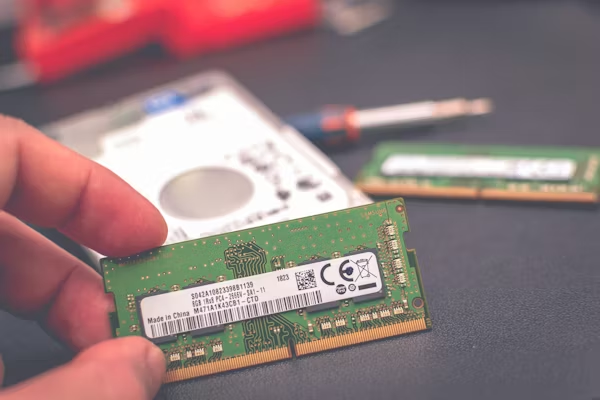
Before businesses resell, redeploy, or recycle retired IT equipment, they must address more than data stored on the devices. Physical asset tags, barcode labels, and company ownership stickers can connect equipment to internal inventory records, departments, and locations. Leaving these identifiers in place may expose unnecessary business information after equipment leaves the organization.
Working with an experienced asset tag removal company helps IT teams manage this transition. Proper removal supports data protection, inventory accuracy, and responsible asset disposition. At E-XPIRE, we help organizations prepare retired technology for secure processing and its next lifecycle stage.
This guide explains why asset tag removal matters and how businesses can integrate it into their IT asset resale and recycling procedures.
What Is Asset Tag Removal?
Asset tag removal involves taking company-specific identification labels and markings off IT equipment before transferring, reselling, redeploying, or recycling it.
These identifiers may include:
- Barcode and QR code labels
- Company asset number stickers
- Department and location labels
- Ownership identification tags
- Inventory tracking labels
Organizations use these markings to connect devices such as laptops, servers, monitors, and printers to inventory databases. These records may contain purchase details, assigned users, locations, and maintenance histories.
While useful during ownership, these identifiers may no longer be necessary once equipment moves to another organization. A professional asset tag removal company can identify the relevant labels, remove them carefully, and document the work without damaging equipment or removing identifiers that need to remain.
Why Asset Tag Removal Matters Before Resale and Recycling
1. Protect Internal Business Information
An asset tag may appear harmless, but its barcode or reference number could connect a device to internal company records. Depending on the organization’s labeling system, this information may reveal ownership, department details, or equipment locations.
If devices enter the resale market with these markings intact, buyers or other parties may associate them with their previous owners. Removing company-specific identifiers helps reduce this unnecessary exposure.
However, physical tag removal does not erase information stored on a device. Businesses must also complete appropriate data sanitization, account removal, and access revocation before transferring equipment.
2. Maintain Accurate Inventory Records
Asset tracking relies on accurate records throughout the equipment lifecycle. If technicians remove tags without checking the inventory database, businesses may struggle to identify devices or reconcile their records.
A controlled process should include:
- Verifying each device against the asset register
- Recording its existing asset number and serial number
- Confirming the intended disposition route
- Documenting tag removal
- Updating ownership and inventory status
These steps help prevent retired equipment from appearing as active inventory and support procurement planning, audits, and financial reporting.
3. Prepare Equipment for Hardware Remarketing
Devices intended for resale should not carry unnecessary ownership markings from their previous organization. Company labels can create confusion about ownership and affect how equipment is presented to potential buyers.
Removing these identifiers helps prepare devices for inspection, grading, refurbishment, and resale. Businesses can incorporate this work into their wider hardware remarketing process, alongside testing and data sanitization.
Tag removal does not guarantee a higher resale price. Equipment condition, specifications, age, market demand, and refurbishment costs also influence its recovery value.
4. Support Responsible Electronics Recycling
Some retired equipment cannot be resold because it is obsolete, damaged, or no longer suitable for use. These devices may need to enter an appropriate electronics recycling process.
Removing internal ownership labels helps prevent unnecessary company information from moving through downstream processing. However, businesses should retain manufacturer serial numbers, regulatory markings, and identifiers required for safe handling or recycling documentation.
The U.S. Environmental Protection Agency’s assessment of the U.S. recycling system cites estimates that the country generates 6.7 million tons of electronic waste, with only 16% captured for recycling. This highlights the importance of effective collection, reuse, and responsible recycling practices.
How Proper IT Asset Tag Removal Works
Tag removal should form part of a documented IT asset disposition workflow rather than happen as an isolated cleaning task.
Step 1: Inspect and Identify Equipment
Begin by checking each device for barcode labels, ownership stickers, and other company-specific markings. Record its equipment type, model, serial number, and existing asset ID.
Compare these details with inventory records to identify missing, duplicate, or mismatched information.
Step 2: Confirm the Disposition Route
Separate equipment intended for redeployment, resale, refurbishment, or recycling. The intended destination determines which identifiers should be removed and which must remain.
For example, a device prepared for resale may need its previous owner’s asset labels removed, while its manufacturer serial number should remain available for identification.
Step 3: Remove Tags Carefully
Use a removal method suited to the label material and equipment surface. Controlled peeling and suitable adhesive-removal products can help prevent residue and surface damage.
Avoid aggressive scraping, excessive heat, and unsuitable chemicals, particularly when handling laptops, servers, and other delicate equipment.
Step 4: Verify and Document Completion
Inspect each device after removal to confirm that the required labels and adhesive residue are gone. Record completion against the corresponding asset ID and update the inventory system.
Documentation should identify the work completed, any labels retained, and the equipment’s next destination. This creates a useful audit trail for IT teams and procurement managers.
The Connection Between Tag Removal and Data Security
Physical identifiers and digital data require separate security controls. Removing a company sticker does not erase files, stored credentials, or user information. Similarly, wiping a hard drive does not remove physical labels that identify the previous owner.
Businesses should therefore include tag removal and data sanitization as separate steps in their secure asset processing procedures.
The National Institute of Standards and Technology’s media sanitization guidance explains how organizations can establish appropriate sanitization methods and controls based on information sensitivity and the intended use or disposal of storage media.
A complete process should address:
- Data classification: Identify the sensitivity of information stored on each device.
- Data sanitization: Select an appropriate method for the equipment and its intended destination.
- Access removal: Revoke user accounts and organizational access where applicable.
- Physical tag removal: Remove company-specific identifiers without damaging equipment.
- Verification and reporting: Document completed work and retain relevant disposition records.
At E-XPIRE, we treat identification removal as one part of a controlled equipment disposition process, not a replacement for data sanitization.
Common Mistakes to Avoid
Businesses can create avoidable processing and inventory problems when they overlook basic removal controls.
- Removing tags before checking records: This can make devices harder to match with inventory entries.
- Confusing tag removal with data destruction: Physical labels and digital storage require separate security measures.
- Removing manufacturer identifiers: Serial numbers and regulatory markings may be needed for identification or downstream processing.
- Using damaging techniques: Harsh chemicals and sharp tools can affect equipment condition.
- Ignoring accessories: Docking stations, keyboards, and power supplies may also carry company labels.
- Skipping final reconciliation: Unmatched assets can create gaps in inventory and disposition records.
A documented procedure and final verification help prevent these issues, particularly when organizations process large equipment batches.
What to Look for in an Asset Tag Removal Company
IT teams and procurement managers should assess more than a company’s ability to remove physical labels. The right partner should understand how tag removal fits into the wider IT asset disposition process.
Consider these factors when evaluating IT asset tag removal services:
- Documented procedures: Does the company explain how it identifies, removes, and records tags?
- Equipment handling: Can it work with different device types and label materials without causing damage?
- Inventory reconciliation: Can it match equipment against supplied asset lists and report discrepancies?
- Security awareness: Does it distinguish physical tag removal from data sanitization?
- Disposition support: Can it prepare equipment for resale, redeployment, or recycling?
- Reporting: Does it provide records confirming completed work and asset status?
ITAD providers should also establish clear instructions about which labels to remove, which identifiers to retain, and what documentation each project requires.
How E-XPIRE Supports Asset Tag Removal
At E-XPIRE, we help organizations manage retired IT equipment through secure processing and responsible disposition. Our asset tag removal services support the removal of company-specific identification markings as part of equipment preparation.
We also connect this process with the next stage of the asset lifecycle. Equipment suitable for further use can move toward remarketing, while end-of-life devices can enter responsible electronics recycling.
By considering equipment identification, inventory records, and final disposition together, businesses can maintain better control over retired technology.
Make Asset Tag Removal Part of Your IT Asset Strategy
Asset tag removal helps businesses protect internal ownership information, maintain accurate inventory records, and prepare equipment for its next destination. When combined with data sanitization, equipment inspection, and documented disposition, it becomes an important part of secure IT asset management.
Working with a capable asset tag removal company can help organizations apply these controls consistently across individual devices and large equipment batches.
To discuss your equipment processing requirements, contact E-XPIRE and explore how our services can support your IT asset disposition process.
Frequently Asked Questions
1. Why should businesses remove asset tags before reselling IT equipment?
Removing company-specific tags helps limit unnecessary exposure of internal ownership information and prevents confusion with previous inventory records. It also prepares devices for inspection, refurbishment, and resale.
2. Does asset tag removal erase data from a device?
No. Physical tag removal does not erase files, credentials, or other digital information. Businesses must complete an appropriate data sanitization or destruction process separately.
3. Which identifiers should remain on IT equipment?
Manufacturer serial numbers, model details, regulatory markings, and identifiers required for downstream processing may need to remain. Businesses should define which labels to remove before processing begins.
4. Can IT asset tag removal services support both resale and recycling?
Yes. Tag removal can prepare equipment for either route. Resale devices may proceed to testing and refurbishment, while end-of-life equipment can enter appropriate electronics recycling channels.
5. What should businesses look for in an asset tag removal company?
Look for documented procedures, careful equipment handling, inventory reconciliation, security awareness, and clear reporting. The company should also understand the different requirements for resale, redeployment, and recycling.